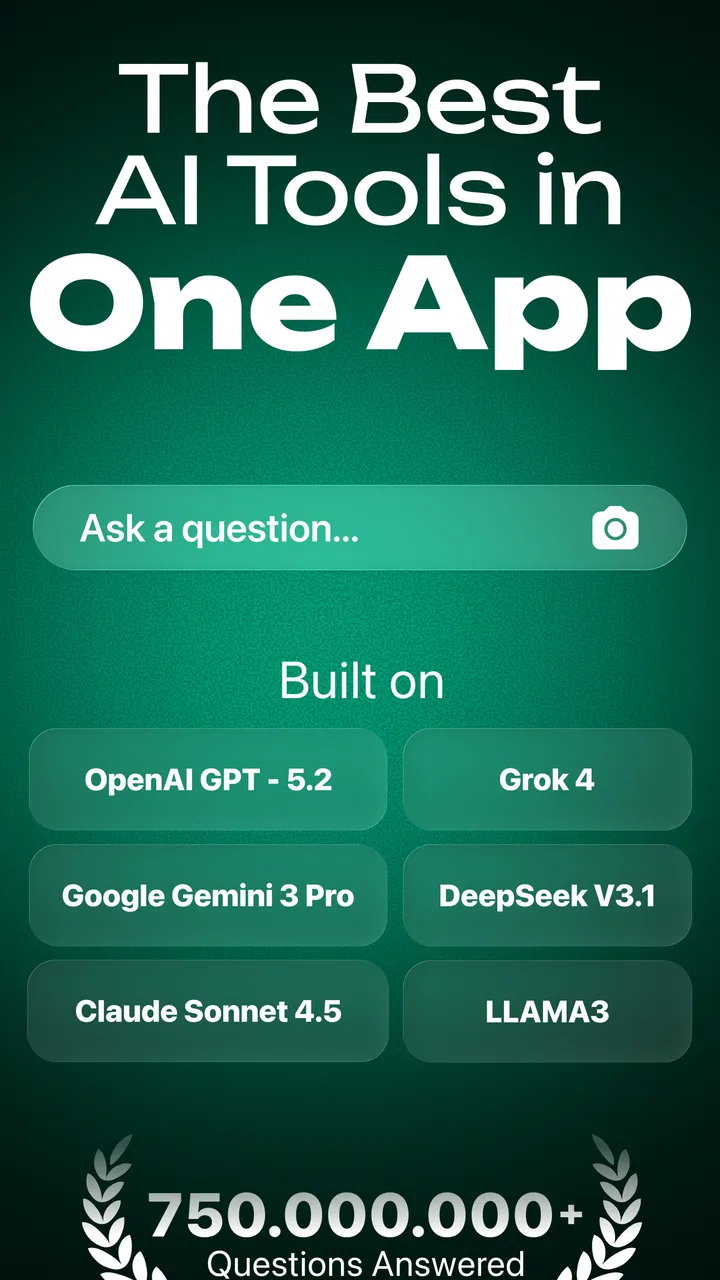
Chatbot - AI Smart Assistant
- 4.3
- Rating
- 5.00M
- Installs
- Free
- Price

 Analysis by App-foxy
I approached Chatbot - AI Smart Assistant as a practical productivity tool rather than a novelty chatbot. Its main appeal is simple: you can ask for explanations, work through maths, shape an essay, or use it as a general writing partner from one place. After spending time with it, I found that the quality of the experience depends less on sending clever prompts and more on building a repeatable way to use it. A vague request usually produces a vague answer; a short explanation of your goal, level, and preferred format makes the conversation much more useful.
The app is free to install and is developed by HubX. It is aimed at everyone, with support for devices running Android 7.0 or later. Its public reception is strong, with a 4.5 average from around 153 thousand ratings and more than 5 million installs. Those figures suggest that this is not a tiny experiment, but they do not remove the need to check answers carefully. I see it as an assistant for thinking and drafting, not as an authority that should replace a teacher, editor, or professional adviser.
How I built a reliable everyday workflow
My preferred starting point is to give the assistant a job with a clear finish line. Instead of writing “help with history,” I would explain that I need a short revision outline, identify the topic, mention my current level, and ask for headings followed by plain-language explanations. This gives the conversation a useful shape from the first message. The same approach works for writing: I can provide the purpose, intended reader, tone, and approximate length before asking for a draft.
You May Also Like

 Blood Strike: 2.5 Anniversary
Blood Strike’s Loadouts Turn Every Drop Into a Tactical Gamble
A close look at Blood Strike’s custom loadouts: how fast access to signature weapons reshapes its battle royale rhythm, rewards preparation, and narrows the gap between fights.

 Pandora - Music & Podcasts
Pandora’s Music Is Easy to Start, but Harder to Recover
Pandora’s strength is its low-effort path from a seed to a station. Its weak spot is how much confidence it asks you to place in connection, setup, and quiet recovery.

 8 Ball Pool
 Is Built on Rivalries, Rematches, and Routine
A close look at the rivalries, rematches, shared routines, and unanswered safety questions that turn a quick pool match into a persistent mobile community.

 Samsung Music
’s Quiet Strength Is Playing What You Already Own
Its reach comes less from spectacle than from dependable access to a personal library. That simplicity is both the app’s strongest retention engine and its ceiling.

 AccuWeather: Weather Radar
AccuWeather Review: A Quick, Clear Forecast for Everyday Decisions
For everyday plans, the best forecast is the one you can understand quickly. AccuWeather makes rain timing, radar, and local conditions easy to act on, with a few trade-offs.

 Hill Climb Racing
Why Hill Climb Racing Still Turns Crashes Into One More Run
A tiny car, a bumpy hill and one more upgrade: Hill Climb Racing keeps resurfacing because its simple chaos makes every near-miss feel personal.
More From Our News Desk



For homework, I found it more valuable to ask for a method than for a bare result. With a maths problem, I would enter the full question and request each step, then ask the assistant to point out where a particular operation comes from. That turns the response into a study aid. If I only ask for the final answer, I save a little time but lose the chance to notice a mistake in my own reasoning. The app can support learning, but only if I use it as a patient explainer rather than an answer vending machine.
A realistic example is an evening study session. I might paste a difficult paragraph from class notes, ask for a simpler explanation, then request three questions that test whether I understood it. After answering those questions myself, I can ask for feedback on the responses. The useful habit here is separating explanation, practice, and checking into different messages. It prevents the first answer from becoming the entire study session and gives me several ways to interact with the same subject.
For essays, I would not begin by asking the app to write everything immediately. A better sequence is to request possible angles, choose one, build an outline, and then develop individual sections. I can ask it to identify unsupported claims or places where the argument jumps too quickly. This workflow keeps my own judgement involved and makes it easier to recognize text that sounds polished but does not actually prove anything.
The same staged method helps with everyday productivity. I can turn rough notes into a checklist, ask for a message to be made more courteous, or compress a long explanation into a few points before a meeting. The important distinction is that the app is strongest when I already know what I am trying to accomplish. It reduces friction around wording and organization; it does not automatically decide what matters.
Settings and conversation habits worth checking
Before relying on the app regularly, I would look through its available settings and account screens rather than accepting the default experience without thought. The exact options presented can vary by device and app release, so I would pay attention to the controls that affect how I start chats, manage them, or use paid capabilities. The current Android version is 1.0.33, and keeping the app current is sensible when an assistant is being used for school or work.
One setting-related habit matters more than any individual toggle: decide how you want to organize conversations. If the app offers a way to keep or revisit chats, I would use separate threads for separate projects instead of mixing a maths exercise, a cover letter, and a travel question together. A focused conversation gives the assistant cleaner context and makes it easier for me to return to a useful explanation later. If I am finished with a sensitive or temporary topic, I would also review what I want to keep before moving on.
I would also check the language and input experience before settling into a routine. For writing work, the wording of my request should match the language and audience of the final result. For voice or keyboard input, I would proofread names, symbols, formulas, and punctuation before trusting the response. This is especially important with maths and dictated notes, where one misread character can change the meaning of the entire question.
There is another practical point for families and students. The app carries an Everyone content rating, which makes it broadly approachable, but that should not be confused with every answer being suitable for unsupervised academic use. I would still encourage younger users to discuss important results with a teacher or parent. A general-purpose assistant can explain a topic clearly while still making an incorrect assumption, particularly when the prompt leaves out background information.
Because the app includes optional in-app purchases ranging from $4.99 to $69.99 per item, I would inspect the subscription or purchase screen carefully before confirming anything. The free entry point is useful for trying the workflow, but frequent users should decide whether the paid tools genuinely save enough time to justify the cost. I would not upgrade simply because a response feels slow or because a single difficult request failed; first I would improve the prompt and compare the result with the free experience.
Faster patterns that save effort without lowering quality
Experienced use is mostly about reusing good request structures. I keep a small mental template: the task, the context, the audience, the constraints, and the desired format. For example, “turn these notes into a ten-question quiz for a beginner, include answers separately, and avoid adding facts not present in the notes” is much more dependable than “make a quiz.” The final instruction is particularly useful because it limits the temptation to fill gaps with plausible but unverified material.
For editing, I prefer asking for one kind of change at a time. I might first request clearer sentences, then ask for a warmer tone, and finally check the length. Combining every possible instruction in one large request can make it difficult to see which change caused an unwanted result. Small, repeatable passes also let me keep control of my original voice instead of accepting a complete rewrite that sounds unlike me.
A useful shortcut is to ask the assistant to show alternatives rather than endlessly revising one answer. If I need a message to a colleague, I can request a direct version, a friendly version, and a formal version, then choose the one that fits the relationship. For an essay opening, I can ask for several possible approaches and evaluate them myself. This is faster than asking for “the perfect version,” because perfection depends on context that the app cannot fully know.
I also found value in making the assistant expose assumptions. Before accepting a plan, I can ask, “What are you assuming here?” or “Which part of this answer needs checking?” That second question is especially important for factual work. It encourages a more cautious response and reminds me that fluent wording is not evidence. When the subject affects grades, money, health, or legal decisions, I would verify the important points with a trusted source rather than treating the chat as the last word.
Another efficient pattern is to provide a model of the desired result. If I want a table converted into prose, I can show a short example of the tone and structure I prefer. If I am preparing flashcards, I can specify the question-and-answer format before pasting the material. One small example often communicates style more accurately than a long list of adjectives. This is a concrete advantage over ordinary search: instead of collecting several pages and manually reshaping them, I can ask for a first structured draft and then inspect it.
Still, I would keep the original material nearby. The fastest workflow is not necessarily the one with the fewest keystrokes. It is the one that makes checking easy. I copy only the relevant passage, label my own notes clearly, and compare the response against the source. That habit is more valuable than chasing a clever prompt because it protects against confident additions and missing details.
Where the assistant reaches its limits
The biggest limitation is reliability. Chatbot - AI Smart Assistant can produce a convincing explanation that contains an error, especially when the question is ambiguous or depends on information outside the text I supplied. It may also follow the surface wording of a request while missing the real assignment. I would therefore treat generated essays as drafts, maths solutions as worked examples to verify, and summaries as starting points rather than final references.
Its writing help has a trade-off too. The app can make a paragraph smoother, but smoothing can remove personality, uncertainty, or an important qualification. If I ask for an essay to sound “professional,” the result may become generic. I get better work by preserving my own examples and asking for targeted editing. Students who need to demonstrate their own understanding should be particularly careful not to submit untouched generated prose.
It is also not the best replacement for every productivity tool. A dedicated notes app is usually better for long-term organization, folders, reminders, and structured personal records. A calculator or specialist maths application is preferable when precision, notation, or repeatable calculations matter more than explanation. Search is better when I need current sources, direct links to original documents, or evidence that can be cited. The chatbot is most useful in the middle: turning information and rough ideas into understandable language and workable next steps.
Privacy deserves ordinary caution even without making dramatic assumptions. I would avoid pasting passwords, private identification details, confidential workplace documents, or another person’s personal information into a general AI conversation. For schoolwork, I would share the exercise and the relevant context, not an entire file containing unrelated names and details. This is a sensible boundary for any cloud-based assistant and helps keep the workflow focused.
There is a cost consideration as well. The free option lowers the barrier to trying the app, but the presence of purchases means that a heavy user should examine what is included before building an essential routine around a paid capability. Someone who only needs an occasional explanation may find the free access sufficient. Someone who wants a dependable daily writing partner should compare the purchase terms with the value they actually receive over several normal tasks, not just an impressive first conversation.
I would skip this app if I wanted a fully offline reference library, a rigorous citation manager, or a specialized professional tool with predictable outputs. I would also skip it as a shortcut for avoiding study. The best results require reading the answer, challenging it, and correcting the prompt. If that back-and-forth sounds like extra work, a conventional textbook, calculator, or search engine may be a better fit for the particular task.
My verdict after using it as a repeatable assistant
What makes Chatbot - AI Smart Assistant worthwhile is its flexibility. In one focused conversation it can help me understand a lesson, in another it can organize notes, and in another it can improve a draft. The experience is especially convenient for users who move between homework help, maths explanations, and everyday writing instead of wanting a single-purpose app. HubX has positioned it as a broad productivity companion, and that breadth is the main reason I would recommend trying it.
My recommendation comes with a clear condition: use it with a process. Start with a specific task, provide enough context, request a useful format, and ask the assistant to expose assumptions or show steps. Keep your own source material, review important claims, and edit generated writing until it sounds like you. These habits turn a general chatbot into something much more practical than a stream of one-off answers.
The app’s 4.5 average and large user base make it easy to see why it attracts attention, but my decision would rest on fit rather than popularity. If you want a free starting point for AI-assisted study and writing on a compatible Android device, I think it is worth exploring. If you need guaranteed accuracy, specialist calculations, current research sources, or deep document management, choose a dedicated alternative instead. Its real strength is guided collaboration, not automatic correctness.
For me, the best use is a short cycle: ask, inspect, question, revise, and verify. Used that way, Chatbot - AI Smart Assistant feels like a helpful second pair of eyes for ideas and explanations. Used as an unquestioned authority, it becomes much less dependable. That distinction is simple, but it is the key to getting genuine value from this productivity app.
FAQs for Chatbot - AI Smart Assistant
01What features does the Chatbot - AI Smart Assistant offer?
Chatbot - AI Smart Assistant provides a variety of features including natural language processing, voice recognition, and personalized responses. It can assist with tasks such as setting reminders, answering queries, and providing recommendations. The AI continuously learns from interactions to improve user experience.
02Is the Chatbot - AI Smart Assistant secure to use?
Security is a key focus for Chatbot - AI Smart Assistant. The app ensures user data is protected with end-to-end encryption. Additionally, it offers customizable privacy settings, allowing users to manage what data the app can access, thus enhancing user security and trust.
03Can the Chatbot - AI Smart Assistant integrate with other apps?
Yes, Chatbot - AI Smart Assistant seamlessly integrates with various popular apps and services like calendars, email, and social media platforms. This integration allows users to perform multiple tasks without switching between apps, streamlining their digital workflow.
04How does the Chatbot - AI Smart Assistant handle updates and improvements?
The app regularly receives updates to enhance functionality and security. Updates usually include bug fixes, new features, and performance improvements. Users are notified about updates, which can be installed automatically or manually, ensuring the app remains efficient and secure.
05Is the Chatbot - AI Smart Assistant available for both Android and iOS?
Chatbot - AI Smart Assistant is available on both Android and iOS platforms. It can be downloaded from Google Play Store for Android devices and the Apple App Store for iOS devices, making it accessible to a wide range of users regardless of their device preference.
Pros
- Intuitive user interface makes interaction seamless.
- Offers multilingual support for diverse users.
- Integrates with popular third-party apps easily.
- Provides quick and accurate responses.
- Customizable settings enhance user experience.
Cons
- Limited offline functionality reduces accessibility.
- Occasional lag in response time.
- Some advanced features require in-app purchases.
- Privacy concerns with data handling.
- Voice recognition can be inconsistent.

Chatbot - AI Smart Assistant
Gallery